Channel - WhatsApp
Connect with WhatsApp and manage your WhatsApp conversations.
Requirements
WhatsApp Business account
Capabilities
✓ Broadcast Messages
✓ Reply to Conversations
Setup Instruction
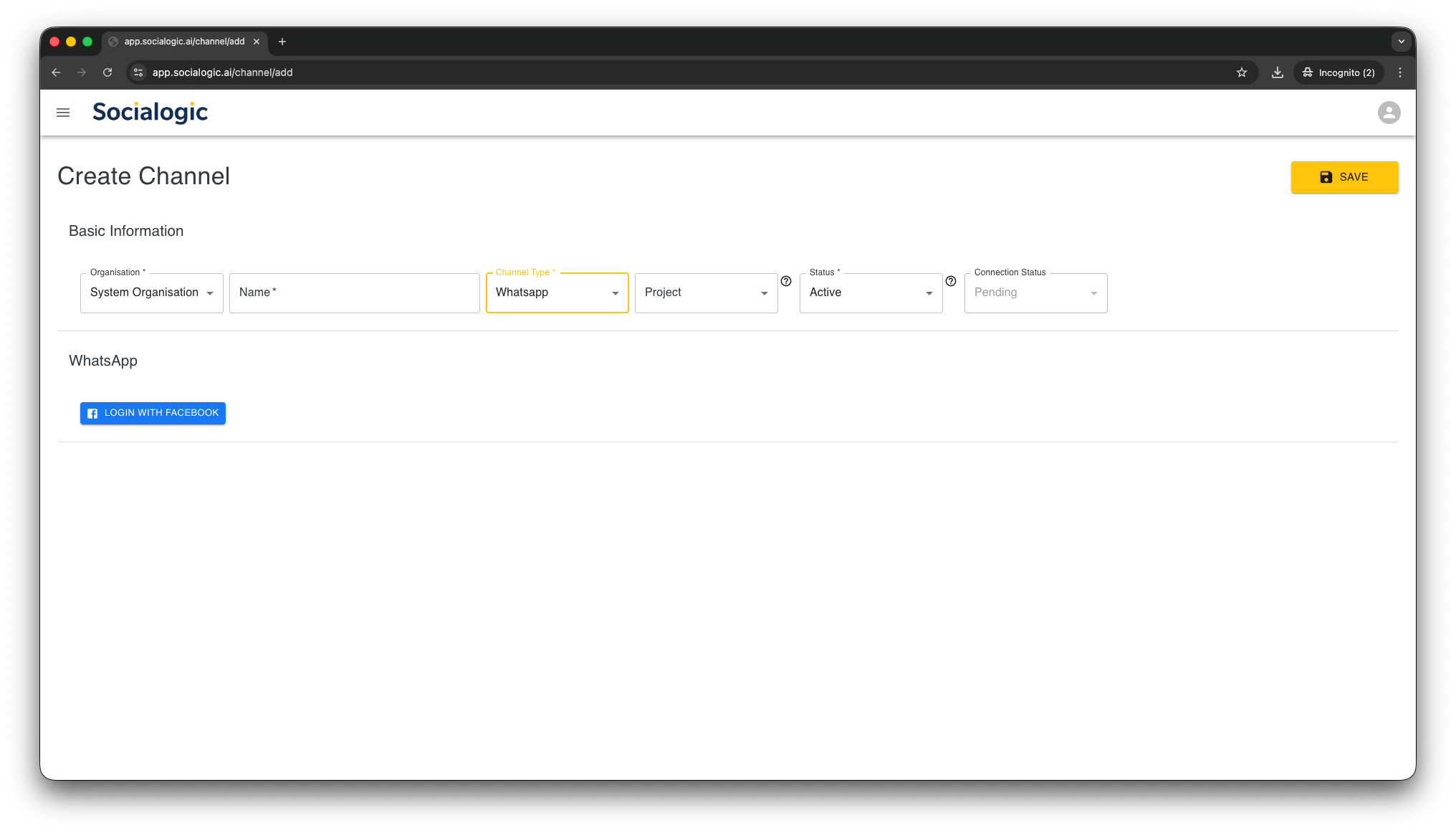
Select “WhatsApp” as Channel Type, then Click on “LOGIN WITH FACEBOOK” button
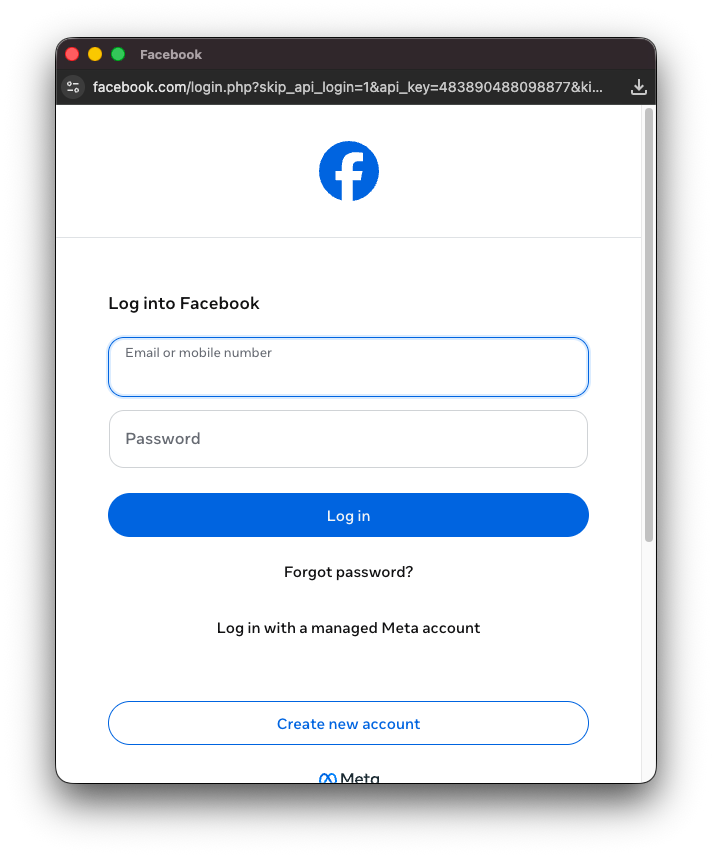
Login to with your Facebook account, which have access to the Business Portfolio containing your WhatsApp Business account
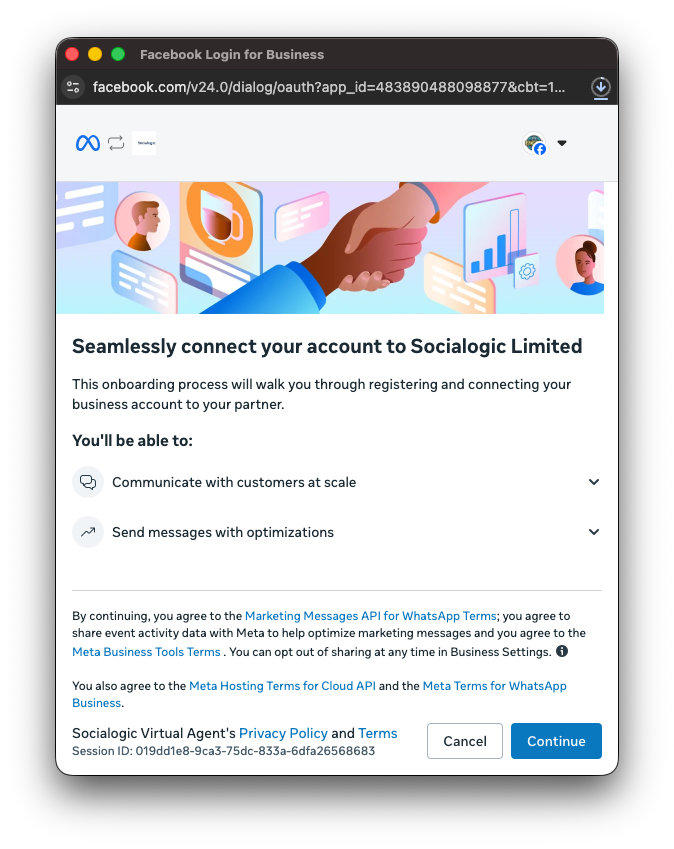
Click “Continue” to agree to Facebook’s terms
Select your Facebook business portfolio, then select your existing WhatsApp Business account, or create a new one
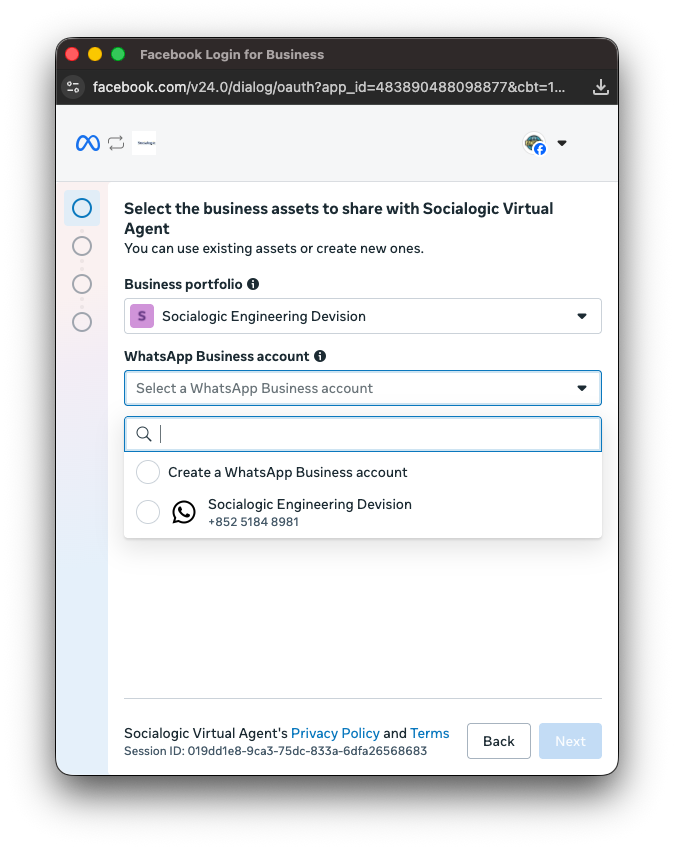
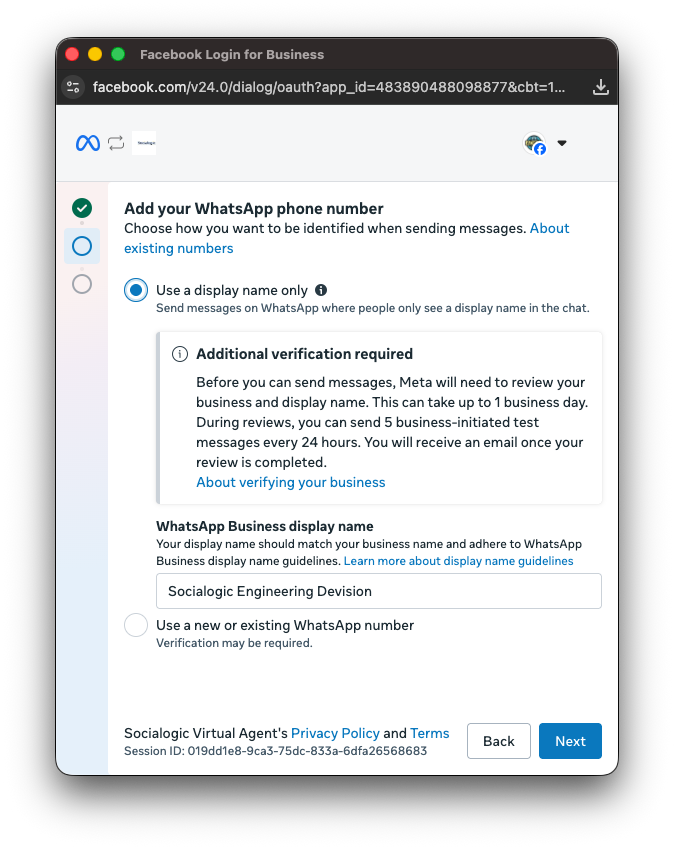
Then select a display name, use an existing WhatsApp number, or create a new one
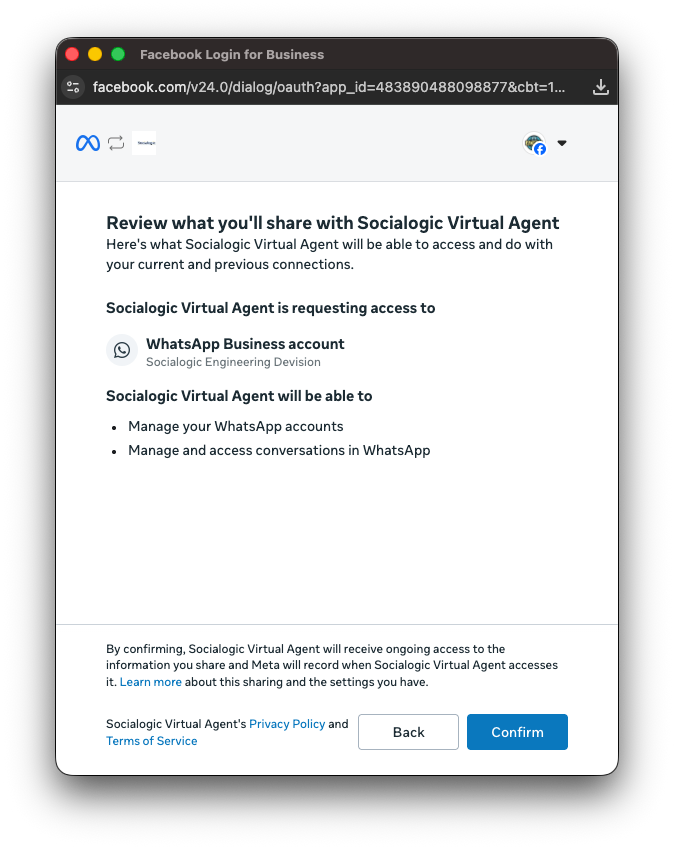
Click “Confirm” to grant access to Socialogic’s App access to your WhatsApp account
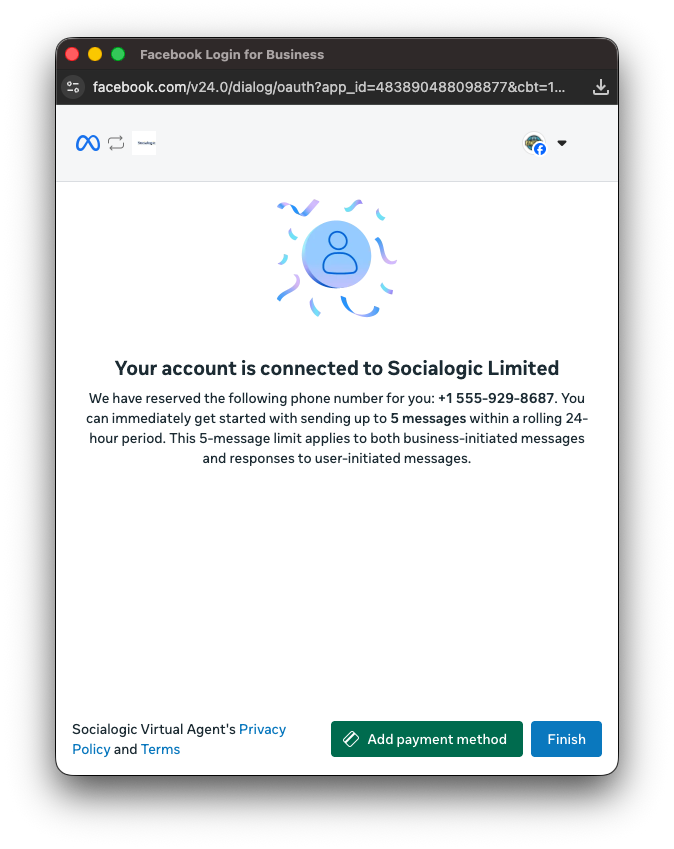
Click “Finish” to complete account connection
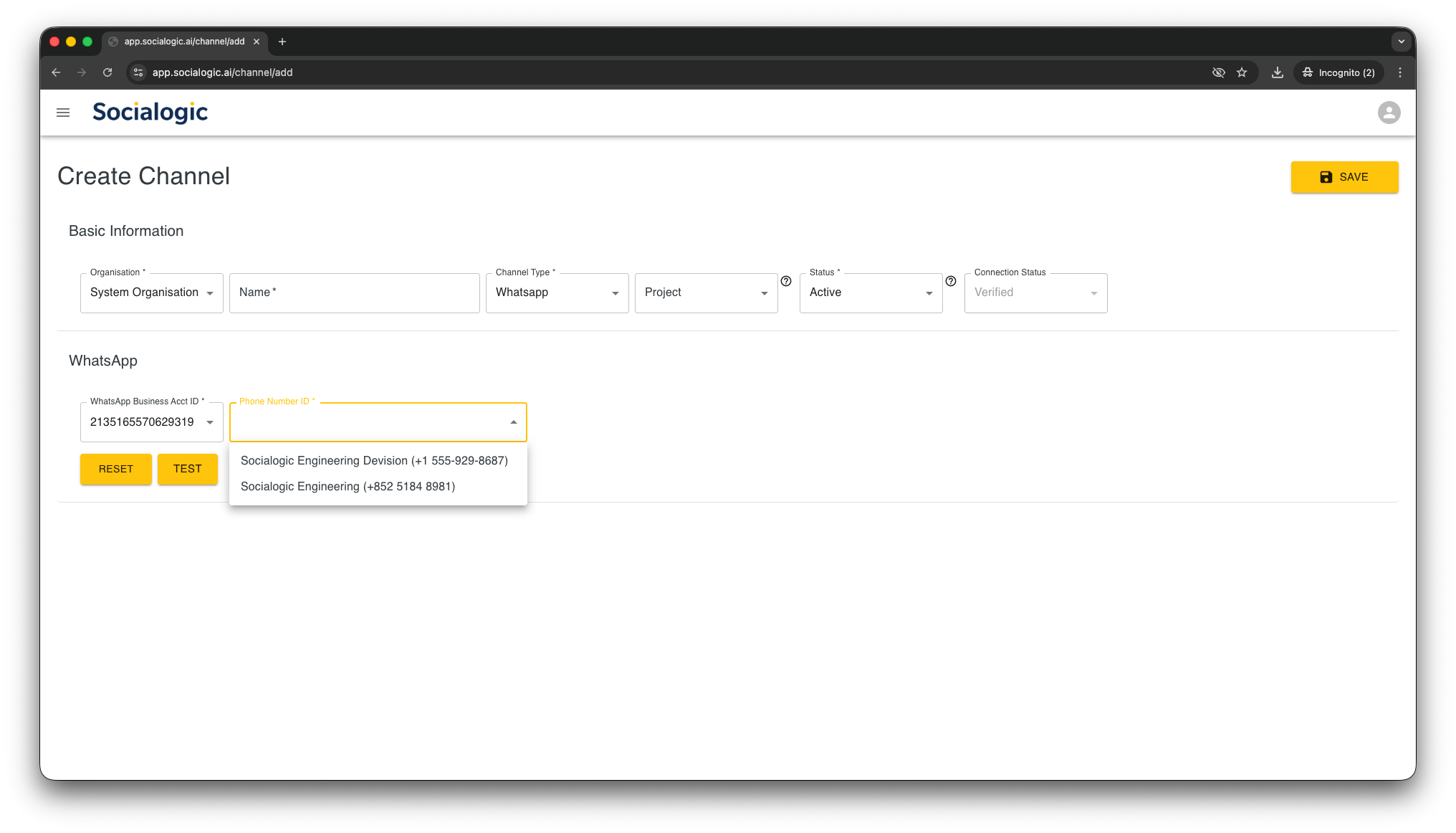
Once completed, the number of your WhatsApp Business account ID and its WhatsApp phone numbers will be shown. Select the phone number to link with this Channel