Channel - Twilio
Connect with Twilio to send SMS messages.
Requirements
Twilio Account
Capabilities
✓ Broadcast Messages
Setup Instruction
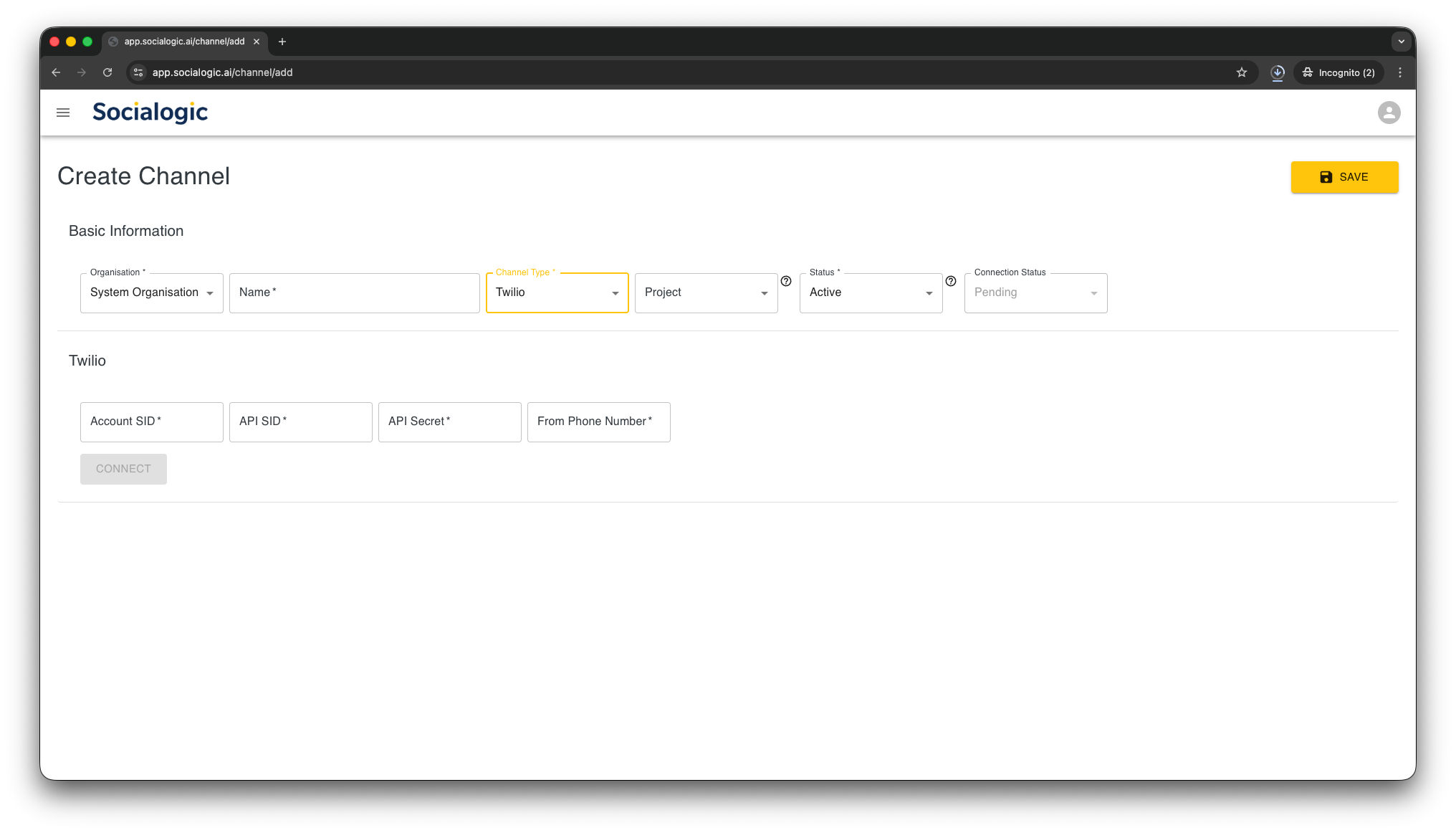
Select “Twilio” as Channel Type, fill in “Account SID”, “API SID”, “API Secret” and “From Phone Number” from Twilio, then Click on “CONNECT” button
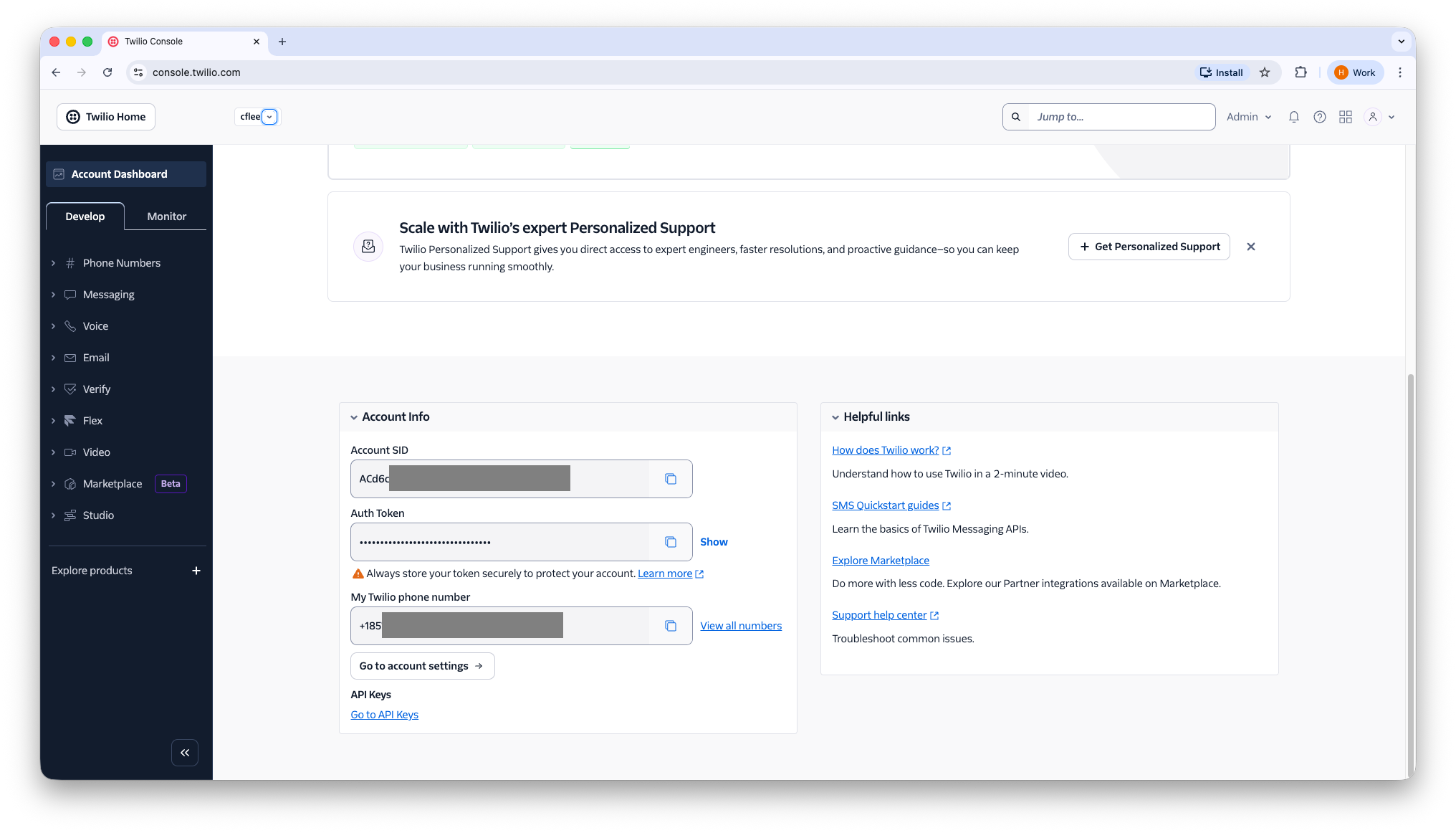
To find out values for the required fields from Twilio, login to Twilio’s console. Scroll down a little and find the “Account Info” section.
Copy the “Account SID”, and the “Twilio phone number”
Then click on “Go to API Keys” link
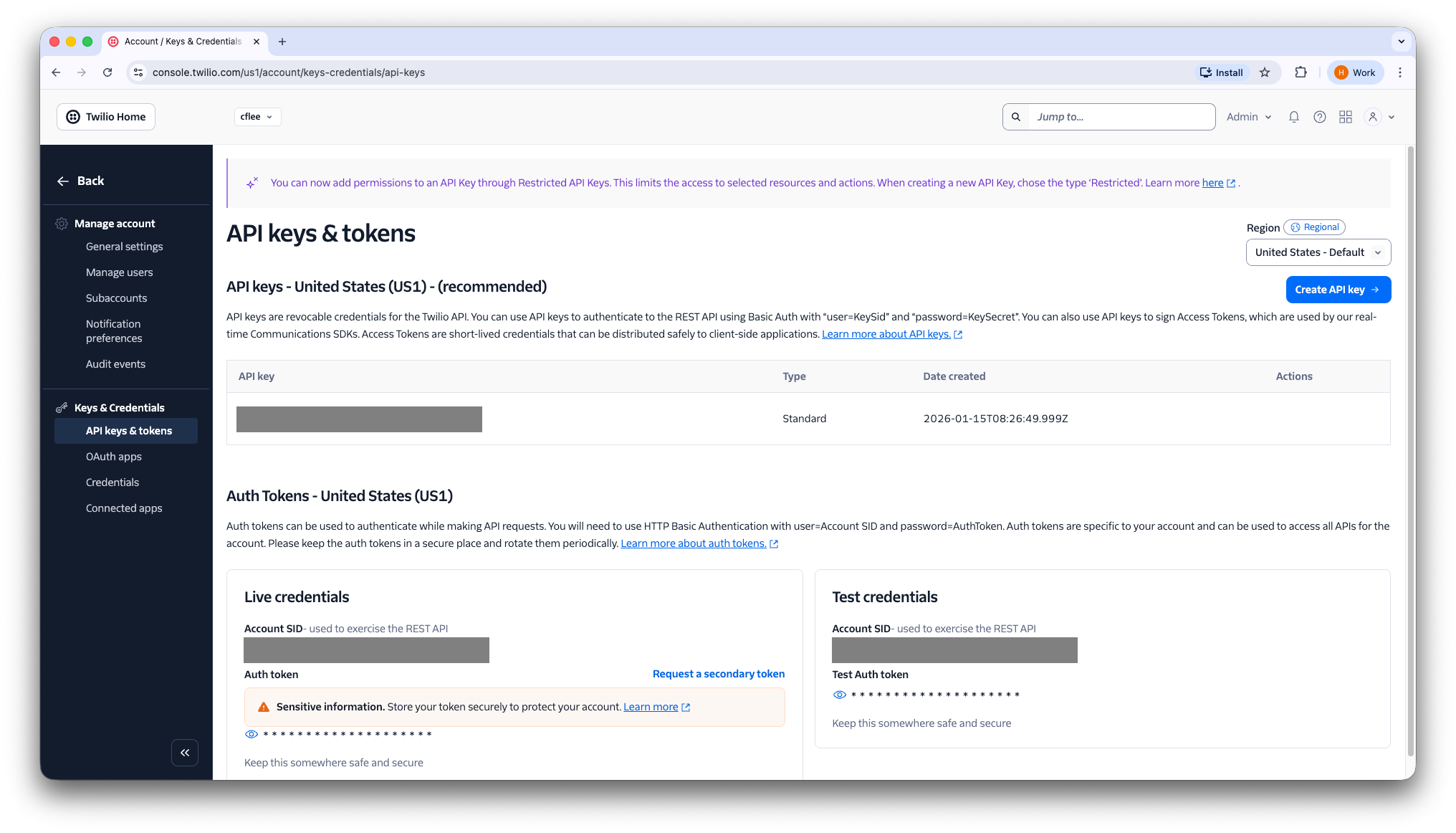
At the right hand side, click on the “Create API key” Button
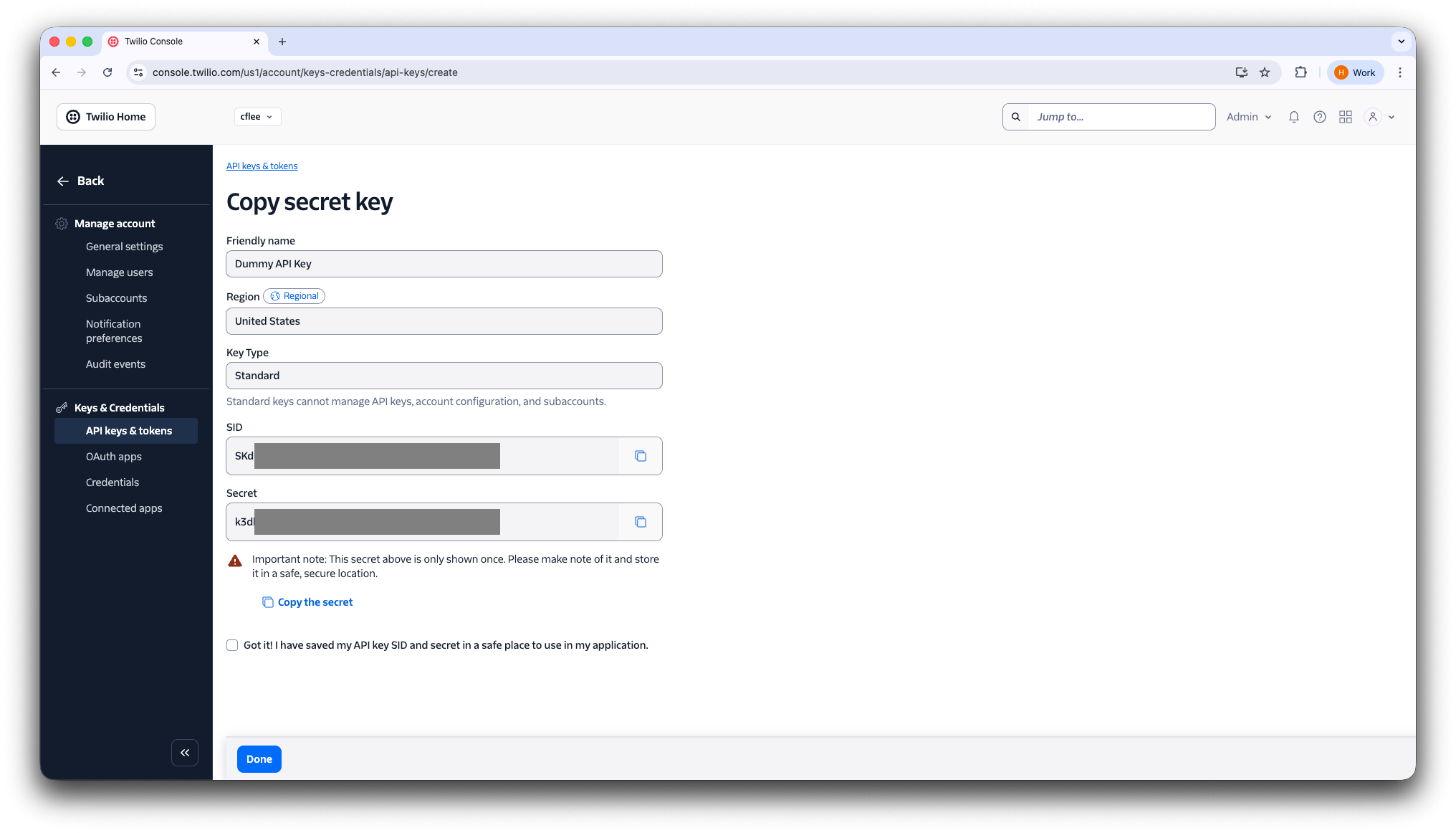
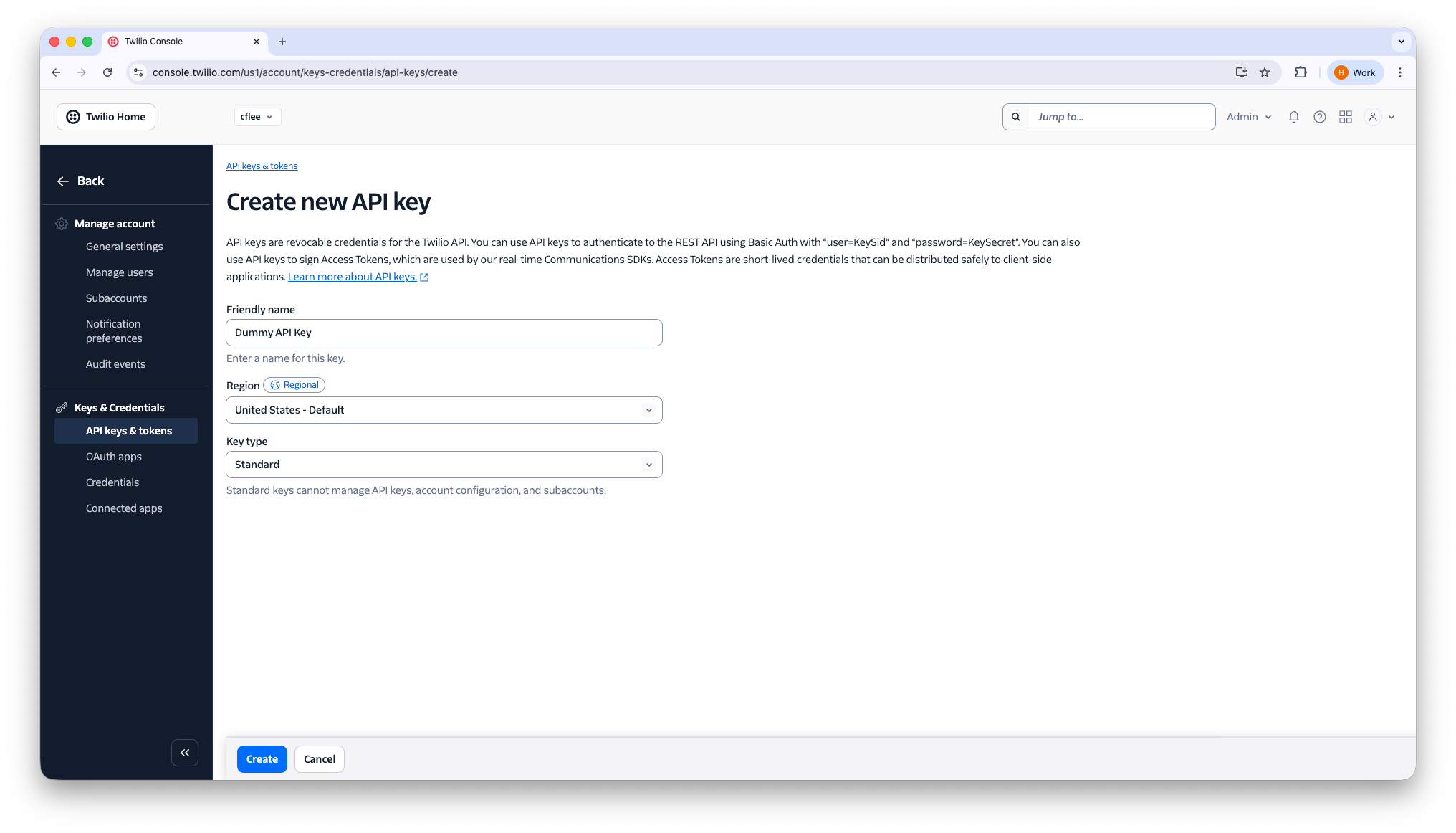
Give the key a name, select “Standard” as Key type, then click “Create”
Copy the “API SID” and “API Secret”, then click “Done”